
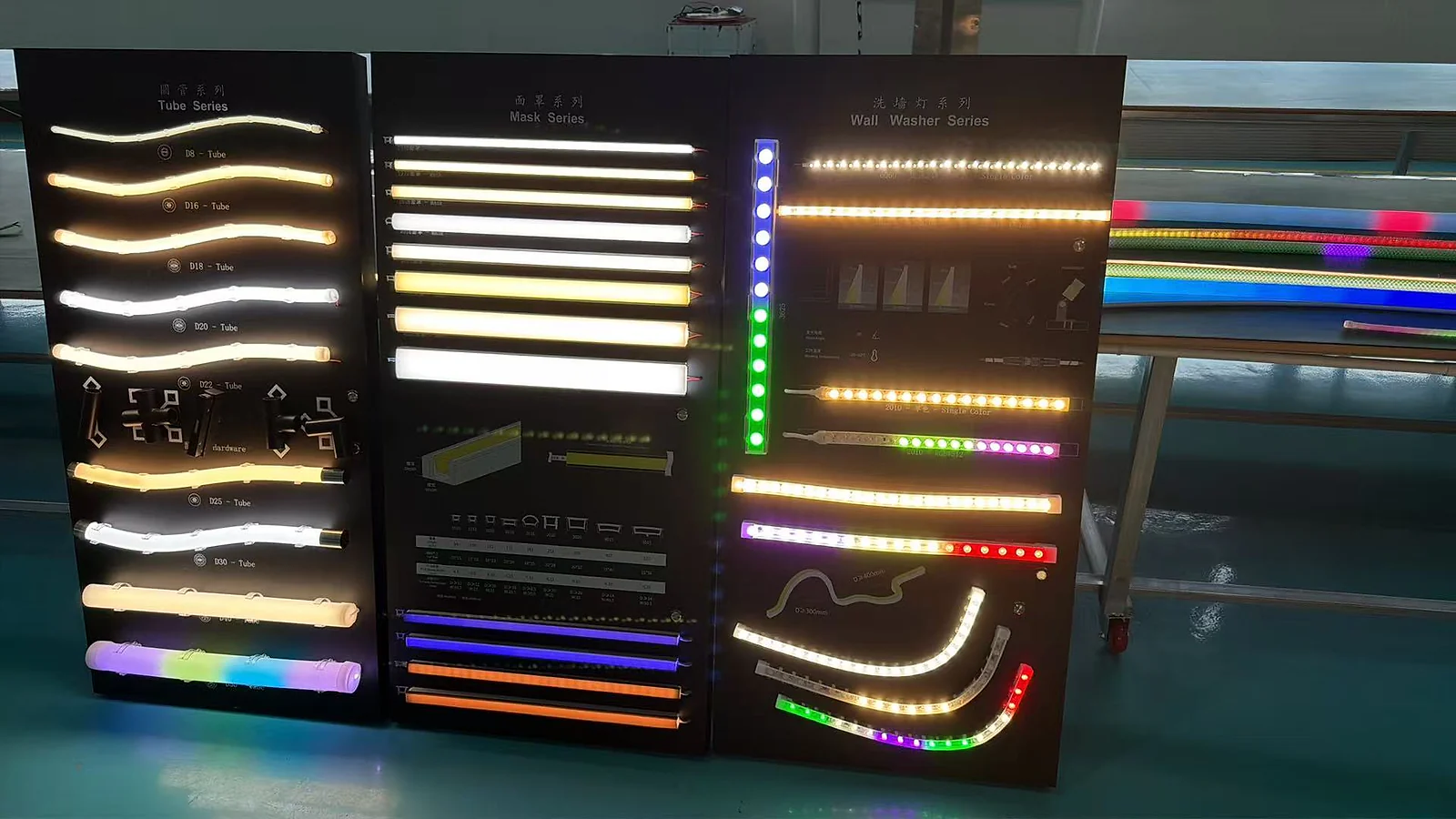
The difference between top bend vs side bend neon flex is the plane in which the selected profile is designed to curve. Top-bend and side-bend are useful category names, but suppliers do not always apply top, back, vertical, side and horizontal terminology consistently. The safe way to choose is to mark the light-emitting surface, mounting surface and required curve on the installation drawing, then confirm the permitted bend direction and radius for the exact product.
Quick answer: Choose side-bend neon flex when the required route curves laterally across the installation plane while the visible light face keeps its intended orientation. Choose top-bend neon flex when the route curves through the profile’s other permitted plane. Do not decide from the name or light direction alone. Match the drawing to the product’s bend diagram before ordering, cutting or installing.
Why the Bend Plane Matters
LED neon flex combines a flexible light source, conductors, silicone housing, diffusing surface and connection details. The assembly is designed to move within a defined plane and minimum bend condition. “Flexible” does not mean it can be folded, twisted or curved equally in every direction.
Forcing the wrong movement can:
- twist the visible light surface;
- flatten or distort the profile;
- strain conductors, solder joints or connections;
- create a local dark or bright area;
- pull the product away from its mounting detail;
- damage the housing or make an end seal unreliable.
The risk is highest at tight corners, transitions between planes, cable entries and points where mounting hardware prevents the product from following its natural route.
Do Not Confuse Light Direction With Bending Direction
Light direction describes where the emitting surface faces. Bending direction describes the plane in which the profile is permitted to curve. The two are related in the finished assembly, but they are not the same specification.
A product image may show a bright top surface without proving how the profile bends. Likewise, “side-emitting” may describe the light output rather than the permitted bend plane. Always check the product drawing or physical sample.
When preparing a project, mark three items separately:
- Emitting surface: the surface that should be visible or direct light into the application.
- Mounting surface: the surface or channel that supports the neon flex.
- Bend plane: the direction in which the route curves relative to those two surfaces.
This removes the ambiguity created by product names alone.
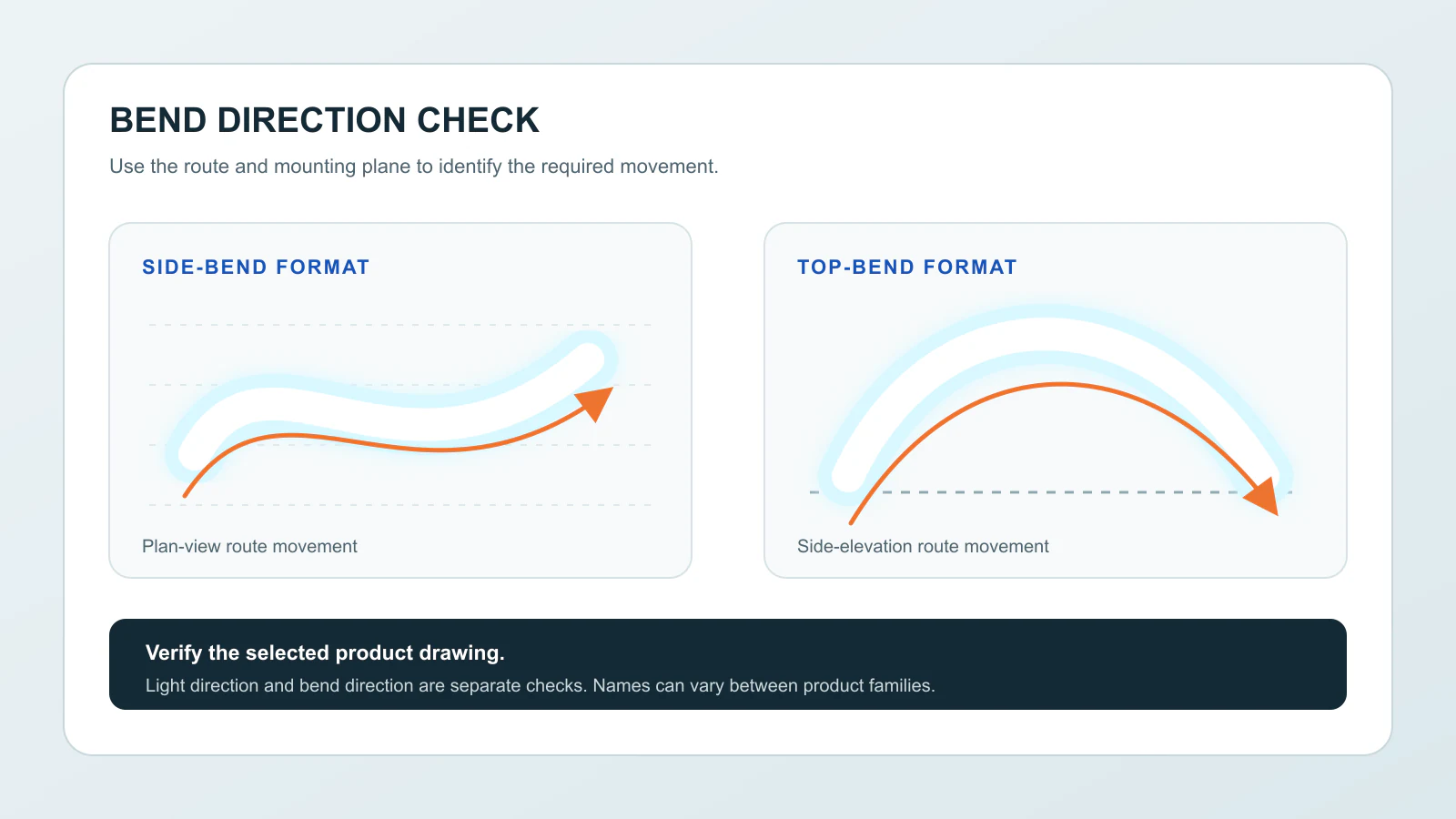
Top Bend vs Side Bend Neon Flex Comparison
| Selection question | Top-bend format | Side-bend format |
|---|---|---|
| Primary distinction | Curves in one defined plane through the profile | Curves in the perpendicular lateral plane |
| Best way to verify | Product bend diagram and physical sample | Product bend diagram and physical sample |
| Drawing clue | Route rises, falls or rolls through the permitted top/back plane | Route sweeps left and right across the permitted side plane |
| Light-face review | Confirm how the emitting surface rotates through the curve | Confirm how the emitting surface stays oriented through the curve |
| Main installation risk | Forcing a lateral turn or a tighter curve than allowed | Forcing an out-of-plane turn, twist or unsupported transition |
| Mounting review | Check clips or channel through elevation changes | Check clips or channel through planar curves |
This table is a planning aid, not a substitute for a model-specific drawing. If the supplier’s diagram uses different terminology, follow the diagram and labelled movement.
How to Read the Required Route From a Drawing
Start With the Viewer and Emitting Surface
Mark where the light needs to face when the installation is complete. A wall outline, cove, edge detail and suspended shape can use similar products but require different orientation.

Trace the Route in Segments
Break the path into straight runs, curves, corners and transitions. A single plan view may hide a vertical change, while an elevation may hide a lateral curve. Review both views when the route moves in three dimensions.
Identify Every Change of Plane
If one segment curves across a wall and another rolls over an edge, one single-plane product may not follow both movements. Possible solutions include changing the route, dividing the assembly into sections, using suitable connectors, selecting another verified format or developing a project-specific profile.
Do not solve a plane change by twisting the neon flex between mounting points.
Mark Connection and Cable Positions
Power-entry, jumper and end-termination positions affect where the product can bend and how it is supported. Place them on the drawing before the final lengths are confirmed.
Compare the Drawing With the Product Diagram
Rotate the product diagram to match the installed orientation and check whether every curve follows the permitted arrows. Confirm the stated minimum radius and any no-bend zones for the exact model. Do not transfer a radius from another profile or supplier.
The LED Neon Flex page provides the product-family starting point. Final configuration still depends on the selected model and project information.
When Top-Bend Neon Flex May Fit
A top-bend format may be suitable when the route curves through the profile’s approved top/back plane. Depending on how the product is oriented, this can include selected arches, edge transitions, elevation changes or other contours that move toward and away from the light face.
Before choosing it, verify:
- which surface emits light;
- how the product sits in its mounting detail;
- whether the full route stays in the permitted plane;
- the model-specific minimum bend radius;
- the position of cable exits and end connections;
- whether the curve is supported without twisting.
The application name alone is not enough. Two arches can require different bend formats when their mounting and light-face orientations differ.
When Side-Bend Neon Flex May Fit
A side-bend format may be suitable when the route curves laterally through its approved side plane. This is often relevant to flat outlines, flowing curves and shapes drawn across a single mounting plane, provided the selected product diagram confirms that movement.
Review:
- whether the light face remains oriented as intended along the curve;
- whether the mounting channel or clips can follow the same route;
- whether the curve remains above the stated radius;
- whether adjacent letters or shapes leave room for end details;
- whether the cable can exit without forcing an extra bend.
For signage projects, the Signage & Branding page can help connect the visual route with the product and installation information that should be supplied.
What If the Route Curves in More Than One Plane?
A route that changes direction in three dimensions needs additional review. Do not assume that a product described as flexible or round can twist freely. Confirm one of the following based on actual product evidence:
- separate sections can handle the different planes;
- the design can use a transition without bending the product incorrectly;
- a verified multi-plane format is available;
- a different mounting route solves the conflict;
- a custom profile or assembly should be evaluated.
The decision should be shown on the drawing and tested with a sample of the critical transition.
Selection Workflow Before Ordering
1. Supply the Installation Views
Provide plan, elevation and section views where needed. A photograph can explain the scene, but dimensions and route lines are still required for selection.
2. Mark the Light-Facing Direction
Use an arrow on each critical segment. This keeps light orientation separate from the profile name.
3. Mark the Mounting Surface and Method
Show whether the product sits in clips, a rigid channel, a routed groove or another assembly. Mounting hardware should support the permitted curve rather than force the profile into position.
4. Identify the Bend Plane and Radius
Mark the centreline of each curve and its radius when available. The supplier can then compare it with the exact product requirement.
5. Add Cable Exits, Ends and Joints
These details may create straight sections or no-bend zones. Include access for assembly and maintenance where relevant.
6. Review a Physical Sample
Use the proposed product, mounting method and critical curve. Check the light face, profile shape, connection strain and visible light line before releasing the final quantity.
7. Record the Approved Configuration
Keep the product reference, orientation, drawing revision, sample photographs and any installation restrictions together. A bend direction cannot be transferred safely to another model based only on a similar appearance.
Use the Project Preparation page to organize the drawing, dimensions, strip, application and quantity for review.
Common Selection Mistakes
Choosing From a Front Photograph
A front image shows the light appearance but may hide the cross-section, mounting face and permitted bend plane. Ask for the bend diagram or a physical sample.
Using Top, Back, Vertical or Side as Universal Terms
Naming differs between product families and suppliers. Compare movement arrows and installed orientation instead of assuming the same label always means the same geometry.
Forcing a Tight Corner
Neon flex is intended for a smooth permitted curve, not a sharp fold. Use the model-specific radius and an appropriate corner or sectional solution where the route changes abruptly.
Twisting Between Clips
Twisting can make the profile appear to follow a route temporarily while loading the internal assembly and distorting the light face. Correct the product selection or route instead.
Leaving Connections Until Installation
A cable exit, end cap or connector can occupy the space needed for the curve. Place every termination on the drawing and confirm the matching LED accessories for the selected product.
Assuming Outdoor Suitability From Silicone Appearance
The housing material or product photograph does not establish an environmental rating. Confirm the complete product, end termination, cable entry and applicable documentation for the intended exposure.
Drawing Checklist for Bend-Direction Review
Before requesting a recommendation, include:
- Plan, elevation and section views where the route changes plane.
- The intended emitting surface and viewing direction.
- The mounting surface, groove, clips or channel.
- Curve direction and radius at each critical location.
- Straight lengths between curves and terminations.
- Cable entry, jumper and end positions.
- Indoor or outdoor exposure information.
- Required colour and control arrangement for the selected product review.
- Cut-length or assembled-length expectations.
- Sample requirement and estimated quantity.
If the drawing is incomplete, send a marked photograph or sketch and identify which dimensions still need confirmation. Do not hide uncertainty inside a generic product request.
Frequently Asked Questions
Is top bend the same as vertical bend?
Some suppliers use those terms for the same movement, while others use top or back differently. Treat the name as a clue only. The exact product bend diagram and installed orientation should control the decision.
Is side bend the same as horizontal bend?
It is often used that way, but terminology is not completely consistent. Confirm the movement relative to the emitting and mounting surfaces on the selected product drawing.
Can top-bend neon flex be bent sideways?
Do not assume it can. A single-plane profile should be curved only in its stated direction and within its model-specific radius. If the route needs a second plane, review another configuration.
Can side-bend neon flex go around a corner?
Only when the corner follows the product’s permitted bend plane and radius. A sharp architectural corner or plane change may require separate sections, an accessory or a different route.
Which type is best for letters and logos?
Many flat outlines use a side-bend format, but the artwork, stroke width, light-face orientation, curve radius, mounting and connection details determine the actual choice. Verify the drawing rather than selecting by application name alone.
Does the bend direction determine the light direction?
No. They must be reviewed separately. The bend direction defines how the profile can curve; the light direction defines where the emitting surface faces in the finished installation.
What should I send for a bend-direction recommendation?
Send the route drawing or marked photograph, dimensions, viewing direction, mounting surface, bend radii, cable exits, environment and quantity. Include the existing product reference if the project is a replacement.
If the route and mounting interface cannot be met by a verified standard profile, discuss a custom silicone section from your drawing. Include plan and elevation views, cable exits and the intended light-facing direction. Use the selected product documents, not a bend radius borrowed from another model.