
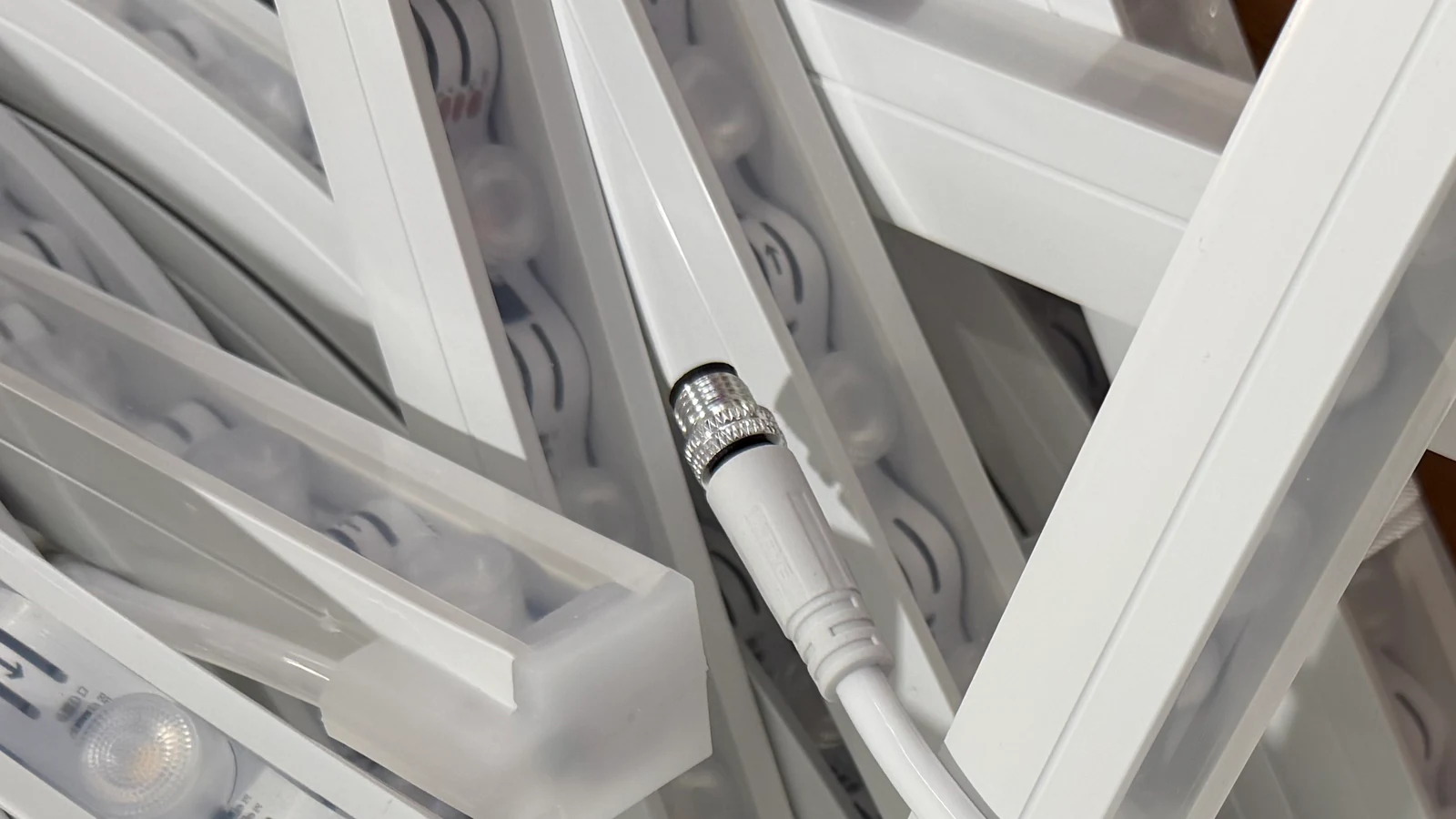
LED strip connector types are easiest to compare by the job they perform: bringing power to a strip, joining two strip sections, or bridging a gap with wire. The name on the package is not enough to establish compatibility. The connector must fit the selected strip’s board, contacts and installation space, while meeting its actual electrical and environmental requirements.
Quick answer: Choose the connection role first: power entry, strip-to-strip joint or wire bridge. Then match the PCB width, contact count and markings, pad layout, component clearance, electrical rating and available installation space. A 2-pin or 4-pin label alone does not establish compatibility.
Quick selection rule: Identify the strip first. Record its exact reference, PCB width, contact arrangement, polarity or channel order, cut location, electrical requirements and planned enclosure. Then choose a connection role and verify the physical interface with the selected strip or a sample.
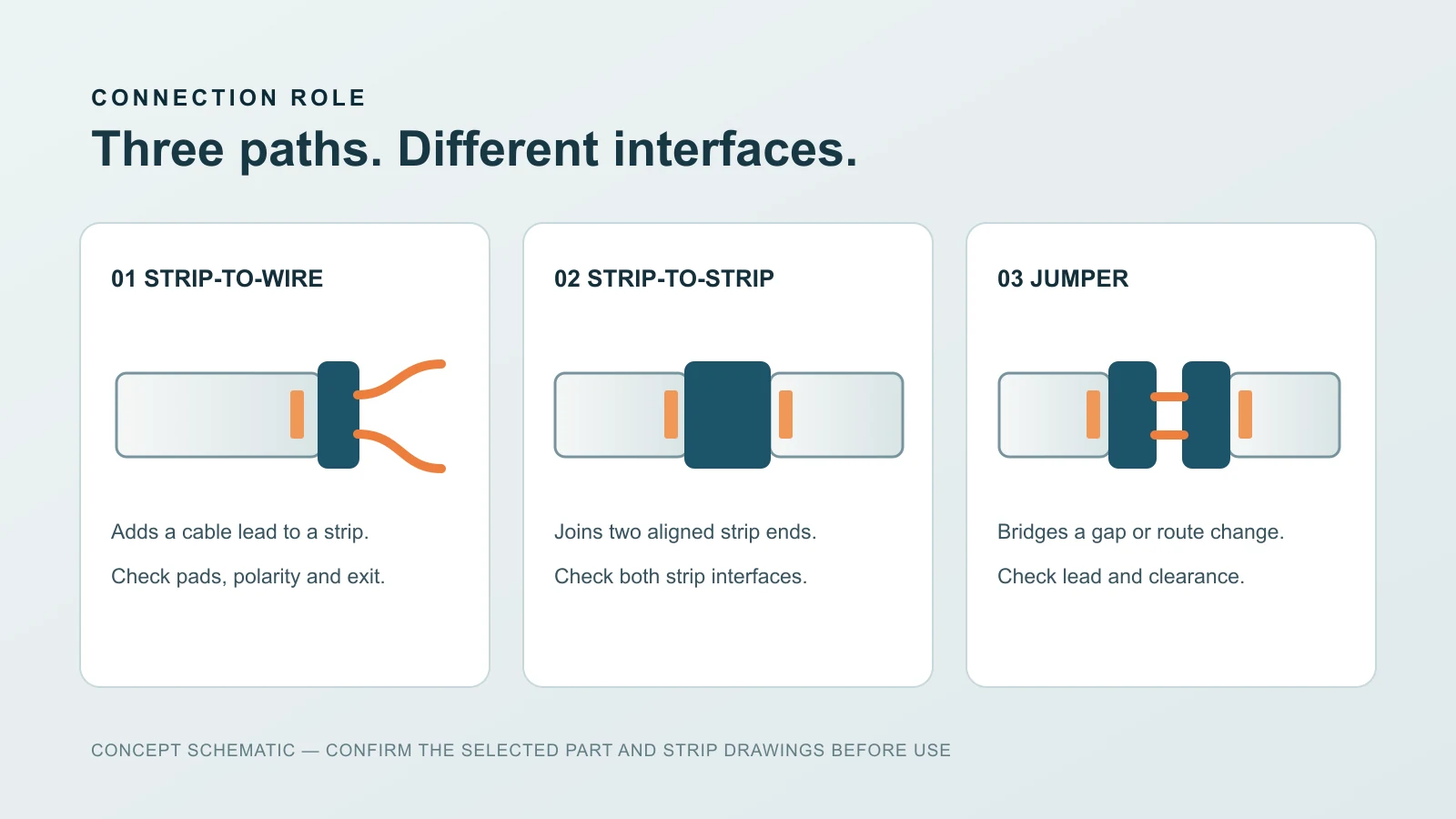
Start With the Connection Role
Connector catalogues use overlapping labels. A more reliable starting point is to describe what the assembly must connect and where it must fit. The categories below are roles, not a claim that every format is stocked or interchangeable.
| Connection role | Typical purpose | Critical fit question |
|---|---|---|
| Strip to wire | Bring a cable from the supply or controller to the strip | Can the wire exit fit the enclosure and avoid strain? |
| Strip to strip | Join two compatible strip sections at an interface | Are pad layout, board width and alignment identical? |
| Strip to wire to strip | Bridge a non-lit gap or offset between sections | Does the jumper length and route suit the installation? |
| Corner or angled interface | Change route between strip sections | Is the geometry compatible with the selected strip and housing? |
| Soldered lead | Make a wire connection where the product permits it | Is there room for a protected, strain-relieved joint? |
These are planning descriptions. A connector marketed for a role may still be unsuitable for a particular LED strip. Some projects may require a soldered or factory-prepared connection instead of a clip-type part.
Match the Strip Before Choosing a Connector
Board Width and Thickness
The connector has to accept the strip PCB without crushing components or leaving loose contacts. Measure the actual board where the connection is made, not the outer width of a silicone sleeve or diffuser. If a coating, cover or housing surrounds the strip, check whether the connection method is approved for that construction.
Contact Count and Layout
A visually similar strip can have a different contact count or pad spacing. Compare the connector’s contact pattern with the cut-end pads and the strip’s wiring diagram. A mismatch may create a dead section, incorrect colour output or a short.
Polarity and Channel Order
For a single-colour strip, identify the positive and return contacts from the product marking or data sheet. For multi-channel products, match every channel in the specified order. Do not infer the sequence from wire colours on a different supplier’s accessory.
Cut-End Geometry
Some strips have very little free pad area after the approved cut point; others may have components close to the connection. Review the selected strip’s cut and termination instructions. A clip that appears to close may not make a reliable contact.
Electrical Arrangement
Check the selected strip’s voltage, expected load, control arrangement and permitted feed layout. The connector, cable and any controller must suit the complete electrical path. Do not select a connector by width alone or assume a part suitable for one strip is rated for another.
Solderless LED Strip Connectors and Pin Counts
A solderless LED strip connector uses a mechanical contact instead of a soldered lead. It can be useful where the selected strip and installation permit a clip-style joint, but the word “solderless” does not guarantee a reliable fit or a sealed connection. Check the connector body’s clearance, contact pressure, strain relief and the strip manufacturer’s connection instructions.
2-pin and 4-pin LED strip connectors
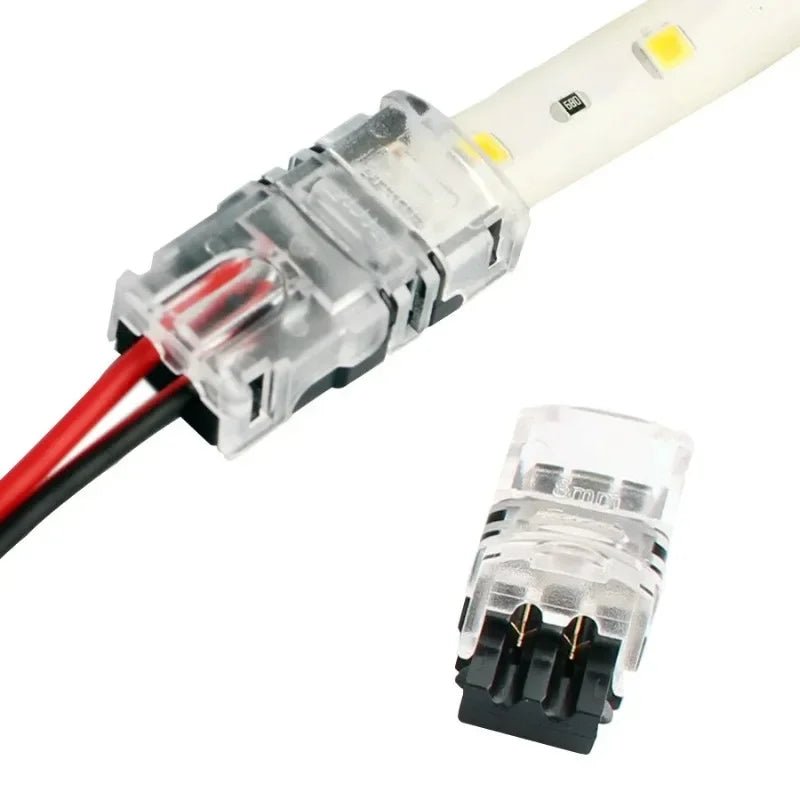
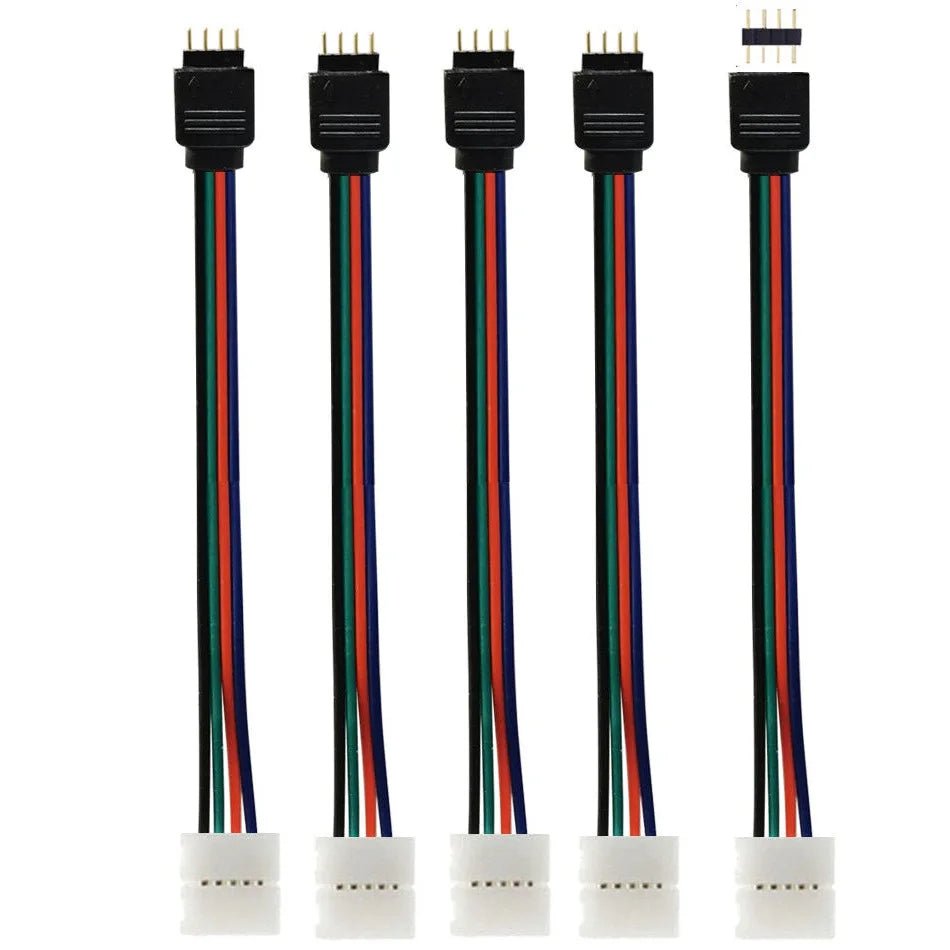
A 2-pin LED strip connector is commonly associated with a two-contact circuit, while a 4-pin LED strip connector is used for some multi-channel layouts. Neither label alone establishes compatibility. Compare the actual contact count and order, board width, pad spacing, polarity, coating and circuit diagram of the exact strip. A connector made for one 10 mm board may still be unsuitable for another 10 mm board.
Compare the Pictured Connector Formats
| Product | Pictured interface | What to check |
|---|---|---|
| AL0201 2-pin clip connector | A two-contact strip clip with a two-wire lead | Strip-pad position, polarity, PCB width and clip clearance for the strip-to-wire connection |
| AL0401 4-pin connector leads | A four-conductor lead with mating pin and socket ends | Mating-end geometry, contact order, cable route and the interface to the selected strip |
The AL0401 lead is not the same interface as a solderless clamp placed directly over four strip pads. Likewise, the pictured AL0201 lead is not a direct strip-to-strip coupler. Confirm the actual ends and installation space, not just the pin count, before choosing a format.
If the strip will sit inside a silicone profile or a covered enclosure, check the complete joint before ordering: connector body, cable exit, available depth and any moisture-protection method. Send a photograph of the cut end and the strip reference with your project request.
Check the Space Around the Joint
The connector may fit the bare strip but not the channel, silicone tube or end detail. Put the full assembly on the installation drawing: strip, contact point, cable bend, connector body, diffuser, profile end and access opening. Consider whether the connection will remain serviceable after the finish is installed.
If the strip is installed inside an LED silicone tube or another profile, measure both the internal channel and the connector envelope. The light-emitting section and joint may require different space. Do not force a rigid connector through a flexible sleeve or assume the sleeve’s product photo proves the complete assembly fits.
For accessories matched to a quoted product, see LED Accessories. Fit and availability should be checked against the actual strip and drawing rather than a general category label.
COB, SMD and Finished Assemblies Need Different Reviews
COB and SMD describe LED package arrangements, not a universal connector interface. An individual strip’s PCB width, pad position, coating and cut instructions control the connection decision. Our COB vs SMD LED strip comparison explains the light-source distinction; it does not replace model-level connector matching.
A finished LED neon flex assembly adds housing, ends and environmental requirements. Do not use a bare-strip clip as evidence that a finished neon product can be opened or re-terminated that way. Follow its own connection documentation.
When a Soldered Connection May Be Considered
A soldered lead may be appropriate when the selected strip and project specifications permit it and a suitable connector cannot meet the space or interface requirement. It still needs correct pad identification, electrical capacity, insulation, strain relief and a compatible enclosure or termination. A soldered joint is not automatically more durable simply because it has no clip.
For the actual preparation and connection sequence, use our separate LED strip connection guide alongside the selected product’s instructions. This article is deliberately about choosing the interface before assembly, not a universal wiring tutorial.
Selection Checklist for a Quotation
- Provide the strip model or a clear photograph of its labels and cut-end pads.
- Record the PCB width, visible contact count and channel marking.
- Explain whether the joint is strip-to-wire, strip-to-strip or a jumper across a gap.
- State the supply and control arrangement shown in the strip documentation.
- Show the profile, tube, channel or other enclosure at the joint.
- Mark the cable exit, available access and environmental exposure.
- Include the estimated quantity and whether a sample connection is needed.
If the exact strip reference is not known, send a sample or photograph of the cut end and a dimensioned installation section. A generic request for a “two-pin connector” may omit the details that decide whether it works.
Common Connector Selection Mistakes
Choosing by Pin Count Alone
Contact count does not confirm board width, pad spacing, polarity, load or enclosure clearance. Compare the complete interface.
Ignoring the Connector Body
A rigid connector can be wider or taller than the strip. Check the finished profile or diffuser before ordering an assembled length.
Assuming a Waterproof Strip Makes a Waterproof Joint
The finished protection depends on the specific connection, cable entry and sealing method. Request applicable documentation for the complete assembly and exposure.
Forcing a Connection at a Bend
Locate connections where the selected assembly can be supported without loading the pads or cable. If that is not possible, revise the route or connection method.
Frequently Asked Questions
Are LED strip connectors universal?
No. Even strips with similar appearance can have different board widths, pad layouts, channel orders, coatings and electrical requirements. Verify the exact combination.
Can the same connector fit COB and SMD strips?
Only if the specific strips and connector share a verified interface. COB and SMD are light-source categories, not connector standards.
What is the difference between strip-to-wire and strip-to-strip?
Strip-to-wire terminates a strip in a cable. Strip-to-strip joins two strip ends directly or through a specified interface. A jumper uses a wire section between strip ends to bridge a gap.
Can I put a clip connector inside a silicone profile?
Only after checking the connector body, cable exit, internal space, bend and end details of the selected assembly. A bare strip fit does not prove the finished profile fit.
Is soldering always better than a connector?
No. Either method can fail when the interface, strain relief, insulation or environment is wrong. Use the method permitted for the selected product and installation.
What should I send to confirm compatibility?
Send the strip reference or cut-end photograph, PCB width, contact markings, connection role, electrical arrangement, profile section, cable route, environment and expected quantity.
Compare the actual interfaces on the AL0201 2-pin connector page and AL0401 4-pin connector page with your strip end. For enclosure clearance, use the strip-to-profile matching guide. Send a clear cut-end photograph and strip dimensions before ordering; do not select by wire colour alone.